Nuits Receipts is a receipt inbox that runs on Cloudflare Workers. You deploy your own copy into your own Cloudflare account, and Nuits never sees your data.
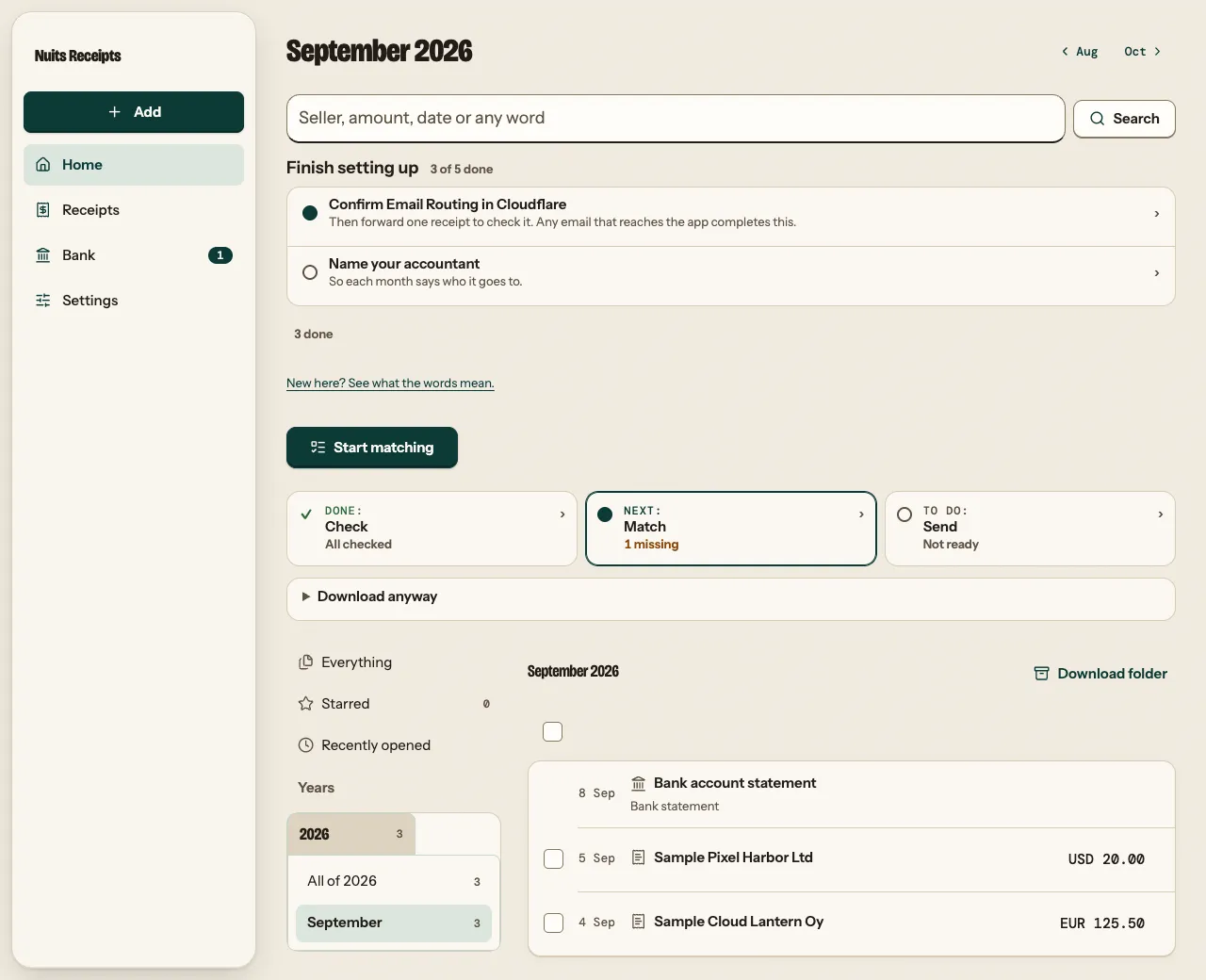
Home holds every finance document you add: receipts, sales invoices, bank statements, other finance documents and the months you sent. They sit in folders that build themselves (by year and month, seller, client, kind and tag), searchable by their details and by the words inside PDFs, and they open in the app’s own PDF viewer. See Find any document.
Above the documents, Home shows the month you are closing, in three steps: Check, Match and Send.
- Check. It reads the seller, amounts, VAT and dates from the receipts you add or forward by email, and asks you only about what it is unsure of.
- Match. It imports your bank’s CSV export (you map the columns once), matches the sure pairs for you, and shows likely ones side by side for you to confirm. It lists the payments that have no receipt yet.
- Send. It prepares a ZIP of the month’s originals with an index spreadsheet, or just a CSV, for you to send to your accountant.
Every resolving action, such as approving a receipt or marking a payment as not a purchase, comes with Undo. You can also install the app on your phone or computer; see Install the app.
Where to start
Deploy your own copy
Your first month
Run it locally
Find your way around
The docs are split into four kinds of page. Pick the one that fits what you are doing now.
Tutorials
How-to guides
Reference
Explanation
Who these docs are for
- You run your own copy. Start with the tutorials, then keep the how-to guides for the monthly routine and the reference for settings.
- You change the code. Start with Run it locally, then read How it works and Run the tests.
- You receive the month’s files as an accountant. Read For accountants to see how the figures were produced, and Open a month package to check them against the originals.